Engines
Kaldi
Download your preferred Kaldi model at kaldi-active-grammar/releases and unpack it into a directory kaldi_model. The directory model_dir where Caster looks for the model is set in the Configuration (default is the current working directory).
Natlink (Dragon NaturallySpeaking)
Download and install Natlink. Use Natlink-4.2 or newer.
Verify (DPI / DNS) is not running.
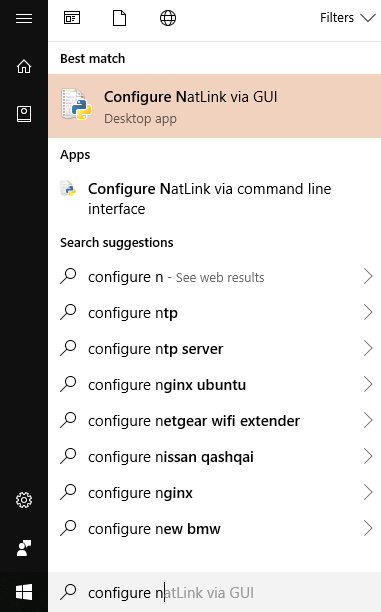
Open the start menu and search for Configure NatLink and click Configure NatLink via GUI.
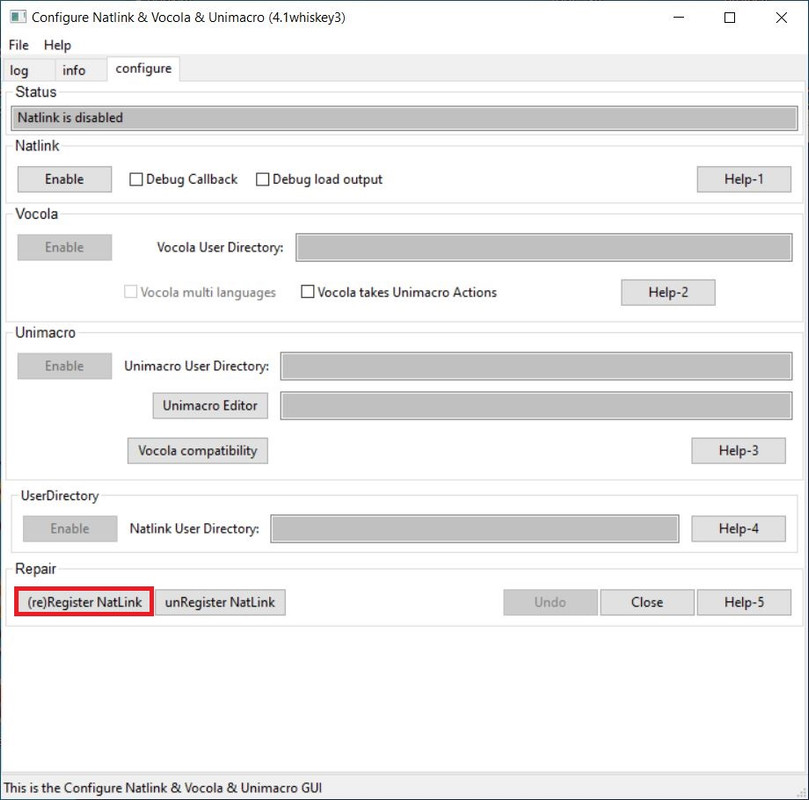
Register Natlink and Restart your computer.
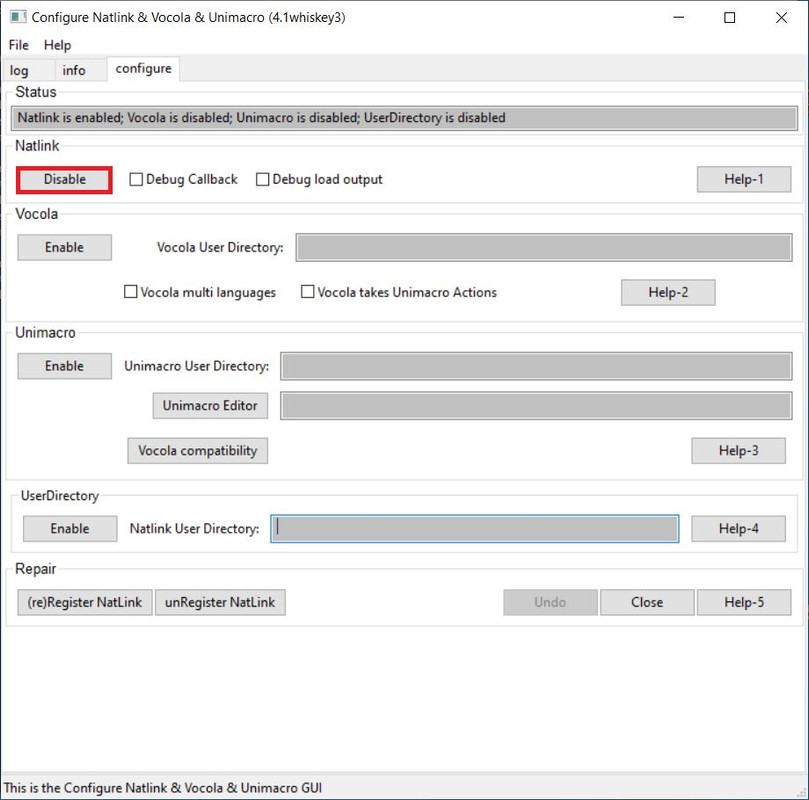
Relaunch Configure NatLink via GUI. Then disable Natlink. Done with Natlink setup.
Natlink Troubleshooting FAQ
- Visual C++ Runtime Error R6034 on Dragon launch. This is related to Natlink. You can safely ignore it.
- A Fix: “Core directory of NatLink (…NatLinkMacroSystemcore) there is a directory msvcr100fix. Please consult the NatLink README.txt file.
See if copying the dll file (msvcr100.dll) to the Core directory (one step up) solves your problem.”
Note: Not recommended for Windows 10.
A dated discussion [VoiceCoder](https://groups.yahoo.com/neo/groups/VoiceCoder/conversations/topics/7925) on the issue.
- When using start_configurenatlink.py gives ImportError: No module named six” or ImportError: No module named future”
To fix pip Install pip install six or pip install dragonfly2 in CMD
- Cannot load compatibility module support (GUID = {dd990001-bb89-1d2-b031-0060088dc929}))
[Detailed Instructions](https://qh.antenna.nl/unimacro/installation/problemswithinstallation.html) Typically fixed by installing Microsoft Visual C++ 2010 Service Pack 1 Redistributable Package
May need to unRegister and then reRegister Natlink from the GUI
- Running “Configure NatLink via GUI” does not bring up the settings window- try running the program as an administrator:
A Fix: Open an administrator command prompt by searching for “cmd” in start and right click run as administrator.
Change directory to the folder where start_configurenatlink.py was installed. See command below:
cd C:NatLinkNatLinkconfignatlinkvocolaunimacro.
Run python start_configurenatlink.py.
See qh.antenna troubleshooting guide has further solutions for NatLink Issues.
SAPI5 (WSR - Windows Speech Recognition)
No extra actions are required to use WSR.